
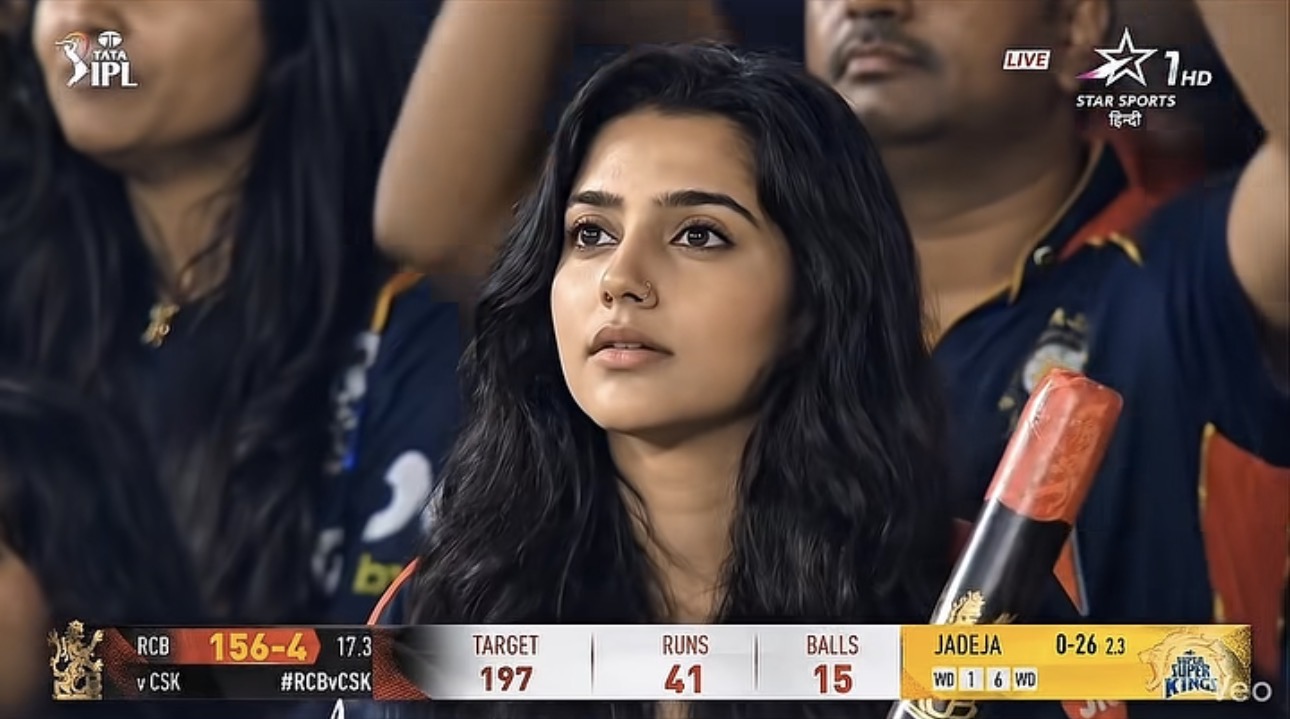
You’ve seen them all over your feed: the hilarious “Lookalike Cam” side-by-sides, intense fan reactions during a tight match, and the massively viral “Korean AI Baseball” edits where perfectly styled spectators are caught off-guard by a live broadcast camera. Stadium reaction videos are absolutely dominating short-form content in 2026. The collective energy of a crowd, the sudden camera zoom, and the awkward (or flawless) reaction create the perfect dopamine hit.
But what if you haven’t been to a game recently? Good news: you don’t need a ticket to the front row. With some clever prompt engineering in ChatGPT and the visual horsepower of Google Flow, you can engineer your own viral stadium moment straight from your couch.
Here’s your ultimate guide to hacking the JumboTron.
The Tech Stack: Your Virtual Broadcast Truck
To pull this off convincingly, we are going to combine two powerhouse tools to create a seamless workflow:
- ChatGPT (for Prompting & Concepting): We will use ChatGPT as our creative director to craft the perfect, hyper-detailed prompt. (You can also use its built-in image generator for your base photo, though I’m naturally a bit biased toward Gemini for that!)
- Google Flow (for Video & Audio Generation): Flow is Google’s dedicated AI creative studio. Powered by the Veo 3.1 model, it excels at “Ingredients to Video”—meaning we can feed it a static picture of you and prompt it to create a realistic, moving broadcast shot complete with native stadium audio.
Step-by-Step: Crafting Your Stadium Debut
Step 1: The Setup & Prompt Engineering (via ChatGPT)
The secret to AI realism isn’t just typing “make me in a stadium.” It’s about nailing the broadcast aesthetics—lens compression, stadium lighting, and crowd motion blur.
Open ChatGPT and ask it to help you build a prompt based on your specific idea. You can use this template to get started:
Try this prompt in ChatGPT: Image Prompt: Realistic sports broadcast screenshot-style documentary photo taken in the spectator stands of a IPL game. The person from the attached image is sitting in the stadium seats, looking toward the field with a intense look focused expression but slightly smiling.
Delicate facial features, soft glowing skin, natural Indian vibe.
Wearing a realistic RCB Jersey Crowded stadium background, cinematic sports lighting, candid moment, ultra realistic photo, zoom lens feeling, live broadcast atmosphere. make image output 16:9.
With Virat Prompt:
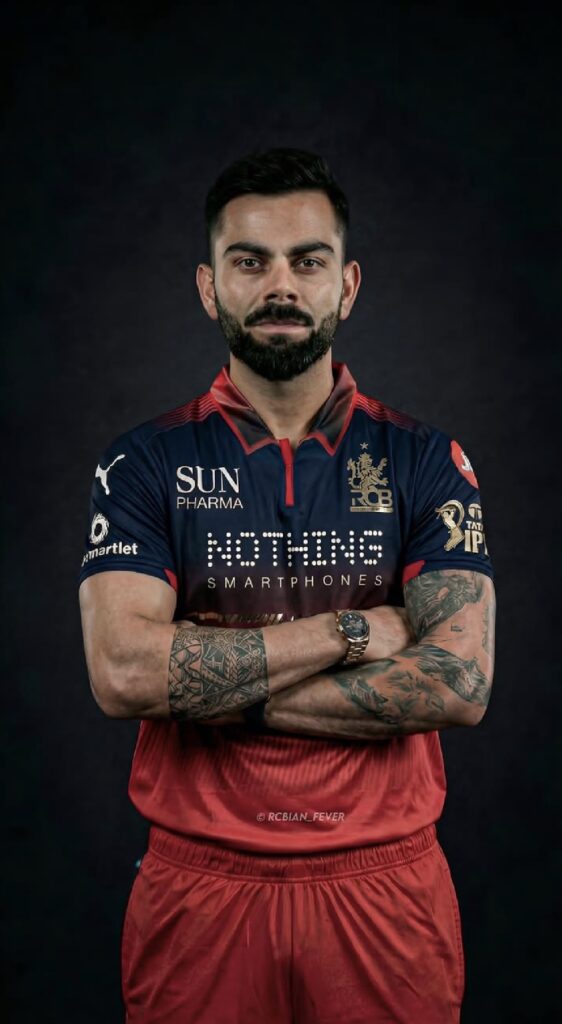
Chat gpt prompt
Create a realistic IPL live broadcast-style image of this person sitting beside Virat Kholi in the stadium gallery, watching the Chennai Super Kings vs Royal Challengers Bangalore match. The scene should look like an actual TV broadcast capture from the match, featuring authentic IPL-style framing, scoreboard graphics, lower-third overlays, match logos, and cinematic stadium lighting. Show Sanju and Urvil currently batting on strike in the live score overlay. The image should feel candid and naturally shot during the live match broadcast. create a realistic image 100% face accurate, both character wearing RCB jersey
Step 2: Generate Your Base “Ingredient” Image
Once you have your detailed prompt from ChatGPT, you need to create your base image (your “ingredient”).
- Upload a clear, well-lit portrait of yourself to your preferred image generator.
- Paste the prompt you generated in Step 1. Instruct the AI to use your uploaded photo as a strict reference for your facial identity.
- Ensure the AI keeps your face accurate while placing you seamlessly into the stadium setting. Save the best result to your device.
Step 3: Bring it to Life in Google Flow
Now it’s time to make that static image move.
- Launch Google Flow: Log into your Flow workspace (labs.google/flow) and start a new project.
- Upload the Ingredient: Import the stadium image you just generated.
- Prompt for Motion: Use Flow’s interface to tell the image what to do. Keep the movements subtle for maximum realism.
Video Prompt: Create a realistic live sports broadcast celebrity-cam moment in a packed cricket stadium.
The person is unknowingly featured on the stadium celebrity cam while fully focused on the match. They do not notice the camera, speak, pose, smile, or react. Expression remains calm, neutral, and natural.
Preserve the exact facial identity, hairstyle, skin tone, outfit, and overall appearance from the reference image with high accuracy. Cinematic stadium lighting, realistic crowd atmosphere, live TV broadcast feel, candid documentary style, shallow telephoto lens look, ultra realistic, natural body posture, viral celebrity-cam aesthetic, 16:9 aspect ratio, authentic sports broadcast screenshot style.
With Virat
Wide broadcast camera shot capturing two men seated side-by-side in premium stadium gallery seats during a live IPL match between Chennai Super Kings and Royal Challengers Bangalore.
[Subject A: face reference) the person from the reference image] sits beside [Subject B: Virat Kohli in RCB team jersey]. Both are engaged, watching the field intently. The frame includes authentic IPL broadcast elements: a live scoreboard graphic in the top corner showing “CSK vs RCB” with current batsmen “Sanju 42* (28)” and “Urvil 15* (9)” on strike, run rate, and overs remaining. Lower-third overlay displays match sponsor logos and “LIVE” indicator in red Stadium atmosphere: packed crowd in yellow CSK and red RCB jerseys visible in soft focus behind them, bright floodlights casting dramatic shadows, evening sky with warm amber glow.
Cinematic broadcast color grading with high contrast and saturated team colors. The shot feels candid, as if captured by a roving broadcast camera during a natural moment between overs
KlingAi Prompt:
Make a realistic video output of the picture
Step 4: Don’t Forget the Audio!
A silent stadium is a dead giveaway. One of the best features of Veo 3.1 inside Google Flow is its native audio generation.
- In your Flow video prompt, simply add an audio cue at the end: Audio: Muffled stadium announcer in the background, loud crowd cheering, the rhythmic thud of fans hitting cheering sticks together.
- Flow will generate the audio track directly alongside the video, syncing the environmental noise perfectly with your visuals.
Pro-Tips for Hitting a Home Run
- Subtlety is Key: The most believable reaction videos aren’t over-the-top. A slow blink, a delayed realization, or trying to hide behind a foam finger reads much more authentically than wild, exaggerated flailing.
- The Telephoto Look: Always include phrases like “telephoto compression” or “shallow depth of field” in your prompts. Broadcast cameras at sporting events zoom in from very far away, which flattens the background and separates you from the blurred crowd.
- Lighting Check: Stadiums have bright, multidirectional lighting. Make sure your original reference photo has relatively even, bright lighting so it blends well with the AI-generated stadium environment.
Generating your own stadium reaction is a fantastic way to experiment with the latest AI workflows. Just be prepared for your friends to ask which game you managed to score tickets to!